
Need help? OK11 platform support is within reachAccount, app, rewards and payment assistance
For login, installation, activity or payment questions, open Support on the OK11 platform and choose its online customer-service entry. Prepare the relevant details so your question is easier to understand and follow up.
6 sec
Average first response
24/7
Online customer service
4.9/5
Issue-handling satisfaction
Service figures supplied by the platform team. Response time is an average, not a guaranteed reply or resolution time for every request.
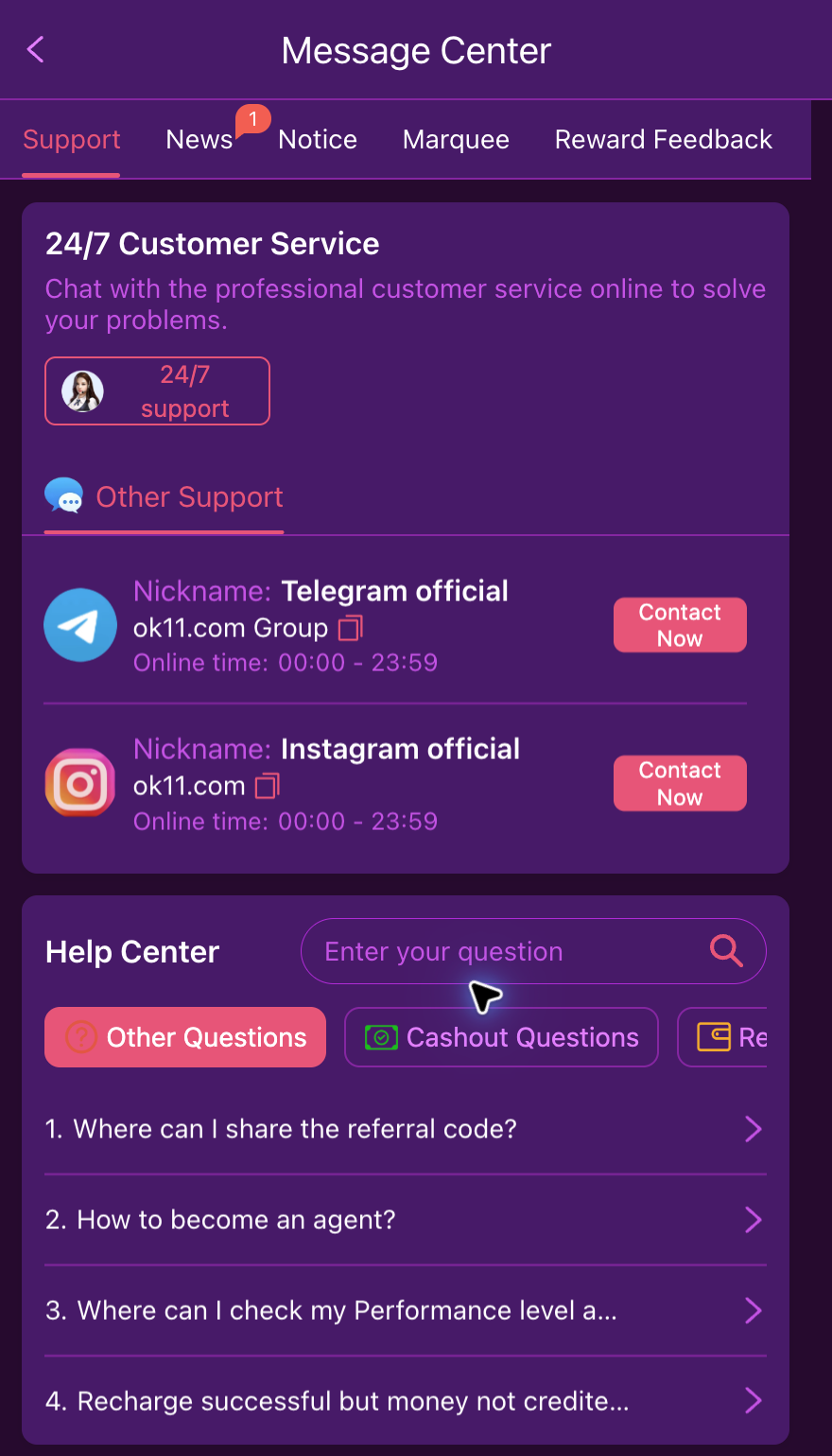
Reach customer service in a few clear steps
- 01
Enter the platform
Open OK11 and use the bottom Support tab.
- 02
Choose online customer service
Select the 24/7 support entry in the Message Center.
- 03
Describe the issue and include the relevant record
Explain what you tried, what the screen showed and what you need checked. Use the order, activity or app details related to that issue.
Choose the information for your question
Account access
The problem, exact error and the step where it occurred. Do not include a password.
Deposit or withdrawal
Order or request reference, amount, time, status and relevant payment receipt.
Rewards
Activity name, the task you completed and the claim status shown.
App access
Device, system version, selected access route and the installation or loading error.
Make the first message useful
Tell support the action, approximate time, current result and the specific help you need. Include an order or activity reference when relevant.
For example: My withdrawal request is still processing. I have its request reference, amount and submission time available. Please check the current status and tell me whether any further action is needed.
- Save any case number or conversation reference provided.
- When following up, quote the same reference and describe any new status.
- Keep unrelated private information hidden in screenshots.
More than one way to find platform help
Use online customer service for account-specific help. Telegram and Instagram entries are also listed in the platform Support area; open the current channel there rather than relying on an old handle.
Find a guide first if you only need the steps
Protect your account while asking for help
Do not share your password, verification code or payment PIN. Hide unrelated personal details in screenshots and use the platform channel for account-specific information.